
Increase Social Media Engagement, Get Traffic to Your Website, and Feature Local Businesses.
Christmas is a great time to showcase local Chamber of Commerce members. These tips and ideas will help you increase engagement on social media and drive more traffic back to your website.
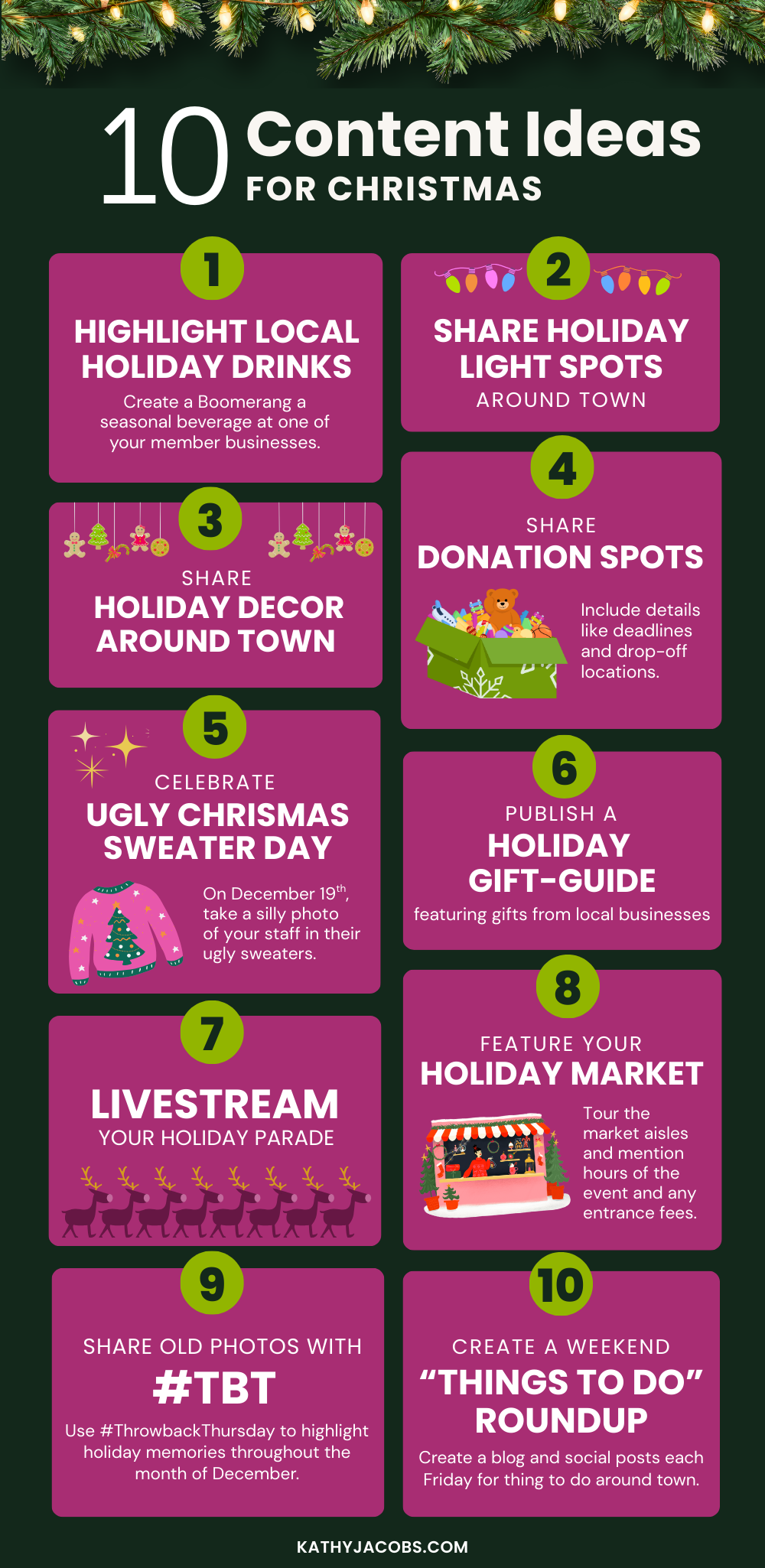
#1 Show Me the Lights! Make a List of Best Places to See Lights
Your Chamber can use this idea to create both a Christmas blog post and Christmas social media content. I love repurposing content – you get more results out of your effort.

Blog Post Idea: Everyone loves seeing holiday lights. Be the website that everyone refers to to find the best, brightest lights each year. Create a list of where to find the best holiday lights around town, along with viewing times, prices (if any), addresses, and any pertinent information. This is evergreen content, so update it annually.
Social Media Ideas:
- Share the post on social media, including photos of the spots.
- Share the list again – this time just typed in the social media post instead of a link.
- Better yet – record some video (or do a LIVE) of a few of the spots on your list. In the post, direct readers to your website to find the list of places to view Christmas lights.
Pro Tip: Created an image for a Facebook and Instagram Story that highlights your article and include a link or link sticker to the full article. You can customize your link stickers in Instagram!
#2 Baby, It’s Cold Outside – Highlight Hot Drinks at Local Businesses
Nothing warms you up on a cold day like a hot drink. Hot chocolate and chai tea are my two favorites at this time of year.
Your member businesses are offering their best holiday drinks this time of year, so spotlight these special drinks and encourage customers to try them all.
Website Content Idea: Write a blog post featuring holiday-themed hot drinks and classic favorites like hot chocolate at local member businesses. The storyline should focus on where to find the best hot beverages in town to warm you up this holiday season.
Social Media Ideas
- Create a boomerang video (Instagram stories only) of one of your Chamber staff or a local celebrity drinking a hot beverage at one of your members’ businesses. Link the Story to the article you wrote on your website.
- Download the Boomerang App (from Instagram), and you can create 1-second videos that you can use on other social media accounts. (Tip: Check out this great article on using Boomerang videos for marketing by Neil Patel)
- Post several photos of different beverages that your member businesses offer and list a few of the great flavors and where to find them in the text of the post. Be sure to tag those specific businesses and direct people to your website for more great drinks from local businesses.
#3 Show Them Your Fun Side – Have an Ugly Christmas Sweater Day at the Chamber

Your members know and like you – and they want to see more of you! Sharing photos of your staff at work and having a little fun is a great way to engage your audience.
Social Media Idea: Take some photos of your staff wearing their sweaters and share them on social media. Ask a question – whose sweater is the best? Who wore it best? Whose is the most creative? Use your question to spark conversation and drive engagement on the post.
#4 Get in the Holiday Spirit – Feature Store Fronts Decorated for Christmas
This is a social media idea that helps to create a bit of nostalgia for your followers and encourages them to get out and shop local while enjoying the decorations. They might remember walking downtown with their parents during Christmas to view the storefronts, which will encourage them to bring their kids downtown.
Social Media Idea: Feature a few of your favorite local storefront holiday decorations each day. This way, you’ll get several days’ worth of content out of this idea.
Go out and take the photos yourself, and be sure to include the business owner or staff in each photo. People respond more readily to photos that include people—particularly when they know them personally. Don’t forget to tag the businesses and the people in the photos.
If you can’t get out to take all of the photos, encourage your member businesses to submit their own photos directly to you. This might take a quick phone call or just an email out to all your members.
Using these photos as a Story as well as a post (mix it up!) will reach different audiences.
Blog Post Idea: It’s not a bad idea to repurpose these photos into a blog post for your website showcasing how the city is all decked out for the holidays. Include photos of city lights and the tree to round the article out. You can even write up a sentence about each of the businesses’ window decorations and what they have to offer particularly for the gifting season.
#5 Nostalgia is in Season – #ThrowbackThursday
This type of post encourages engagement from your followers – a must-have for your social media accounts.
Social Media Idea: Use #ThrowbackThursday (or #TBT) to highlight holiday memories throughout December. Use historical photos of your town’s Christmas parade, historic photos of decorations and Santas, and other holiday-themed historical photos — all of these bring back memories that people will want to share. They don’t have to be decades-old photos – they can be from just a few years ago.
Pro Tip: Ask a question in your post to encourage interaction. Something that starts with: Do you remember this event? Can you help us identify this person? Can you believe this? What’s your favorite memory of this event?
#6 Share a few photos or a video of some lights in your downtown on social media. If you’re taking photos, be sure to include some people in them.
Nothing brings out the cheer than Christmas lights! Encourage people to visit downtown to see the decorations and lights and to do some shopping!
#7 Giving is the reason for the season – compile a list of places accepting donations
#8 Create a local gift guide
Publish a holiday gift guide for local businesses that features gifts for mom, gifts for dad, gifts for teens, gifts under $20, and more! It can be just a few items curated for each list. Share each list on social media as a photo or photo gallery with text. Remind your followers to Buy Local.
To create these gift guides, you can have your staff visit stores to curate the list, or ask your member businesses to submit entries directly. This one takes some planning, but can be a lot of fun to do, as well as really highlight your members.
#9 Live stream your Christmas Parade
Not everyone can make it downtown to watch the parade. For those who can’t make it, share the magic by live-streaming it on your social media channels. Be sure to promote it well in advance of going live. You’ll gain followers and visibility and help share the magic of the season.
Better yet, take several video clips during the parade and then edit them together to share just the highlights on your social media account.
#10 Showcase your holiday market
If your town has a holiday market, live-stream it as it opens. Take a tour of the aisles to showcase some of the items available. Discuss the event hours and any entrance fees.
Take photos of the event while you are there – people, items, etc. and create another social media post to highlight the event.
Create a Story to promote the event each day it is open.
BONUS: Share behind-the-scenes photos and videos of getting ready for the Christmas parade or Holiday market. This helps to remind people that the event is coming up, plus gets them talking about it.
#11 Best things to do this holiday season
Be sure that all of the holiday-themed events in town are added to your website calendar. Then create posts and images to highlight the events and share them to remind folks about all of the activities going on around town.
You want your website to be THE go-to place for all events, so if you have to call around town to get events listed on your calendar, take that extra step! The more people who go to your website for information, the better.
Create a blog post each Friday for ‘things to do this weekend’ or on a Monday for ‘things to do this week’ that feature activities for kids, families, nightlife, etc. Create accompanying social media posts to feature this content. This is a great idea for a newsletter, too.
Join my Newsletter!
If you liked the content from this article, sign up for my newsletter to get tips and ideas for Chambers of Commerce delivered straight into your inbox!
Need help with content creation or content ideas? We can assist you with creating a content calendar or writing the content for you! Just submit an entry on my “Let’s Talk” form, and we’ll be in touch.
Need help?
If you would like help with social media marketing, content creation, content marketing, email marketing, or web development for your Business, Chamber of Commerce, or Tourism Organization, get in touch with us today!